Invoice from your phone.
Get paid before you leave.
You just finished the job. Why wait until tonight to sit at your computer and ask for money? Discover how to make an invoice on your phone and collect your cash instantly.


4.9/5 Rating
App Store & Play Store
4.9★
App Store Rating
10,000+
Active Businesses
100%
Secure Payments
60s
Avg. Creation Time
The Sunday Night Admin Trap
You know the feeling. It's Sunday evening. You should be relaxing. Instead, you're opening a clunky laptop, trying to remember what you actually did on Tuesday, and fighting with a spreadsheet that refuses to format correctly.
When you delay invoicing, you signal to your clients that paying you isn't urgent. If it takes you four days to send the bill, they will take fourteen days to pay it. It’s bad for cash flow, and it’s exhausting. Learning how to make an invoice for free right on your device changes the entire dynamic.
The "Lost Revenue" Matrix: What Waiting Costs You
Our internal data shows a massive difference in payment speeds based entirely on when you hit "send." We compared users who invoice from a desktop days later against those who figured out how to make an invoice on my phone samsung or iPhone immediately.
- Invoicing within 15 minutes of job completionIncreases same-day payments by 43%. The client's satisfaction is at its peak.
- Invoicing 48 hours later via desktopIncreases payment delay by an average of 11 days. The urgency is gone.
43%
Faster Payments
How to make an invoice on my phone android or iPhone
No spreadsheets. No pinch-to-zoom formatting nightmares. Just a simple, practical process.
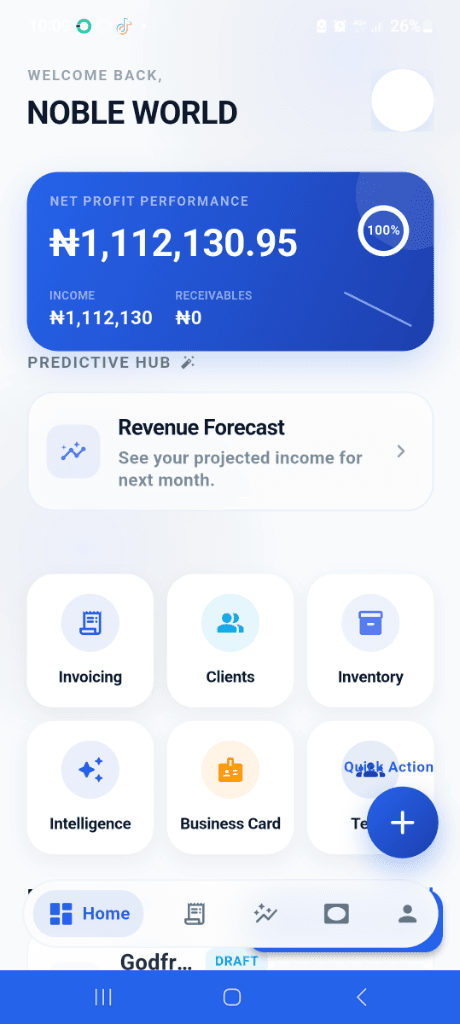
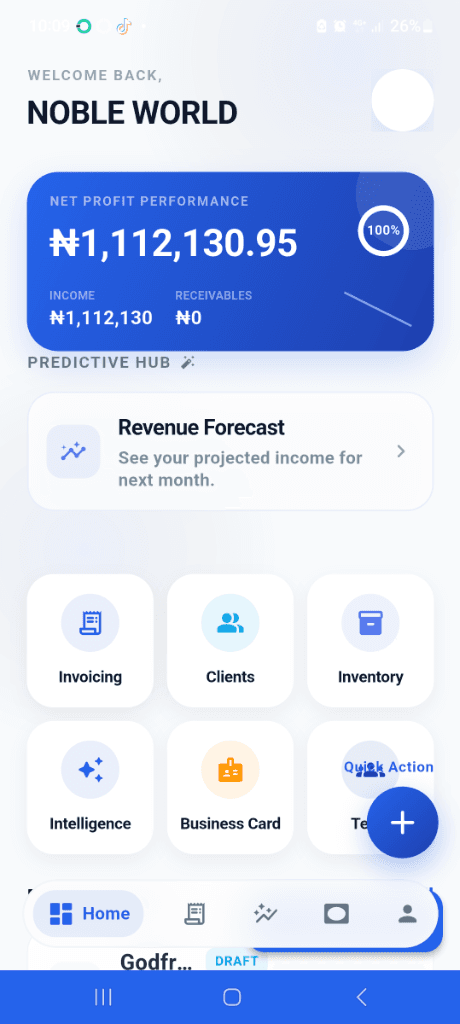
Open the App
Tap the Nobevra icon. You do not need to sit at a desk. You just need an internet connection. Hit the big blue plus button.
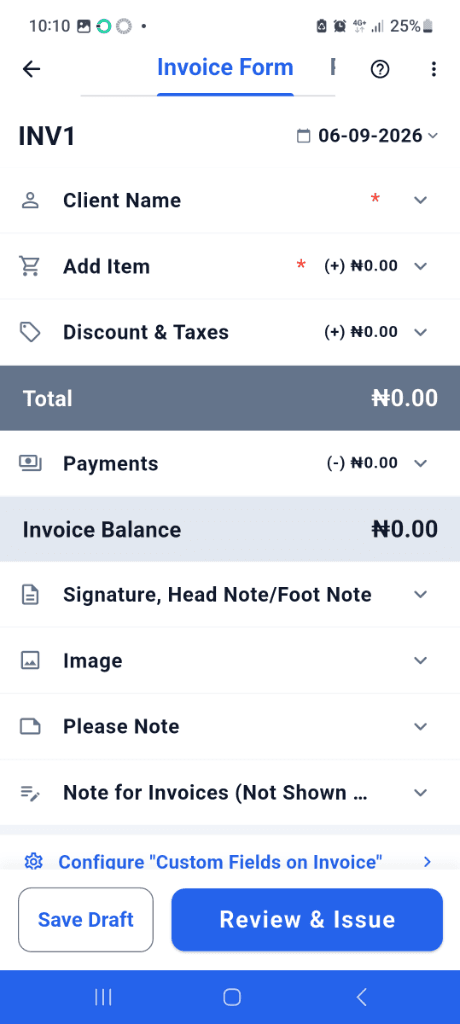
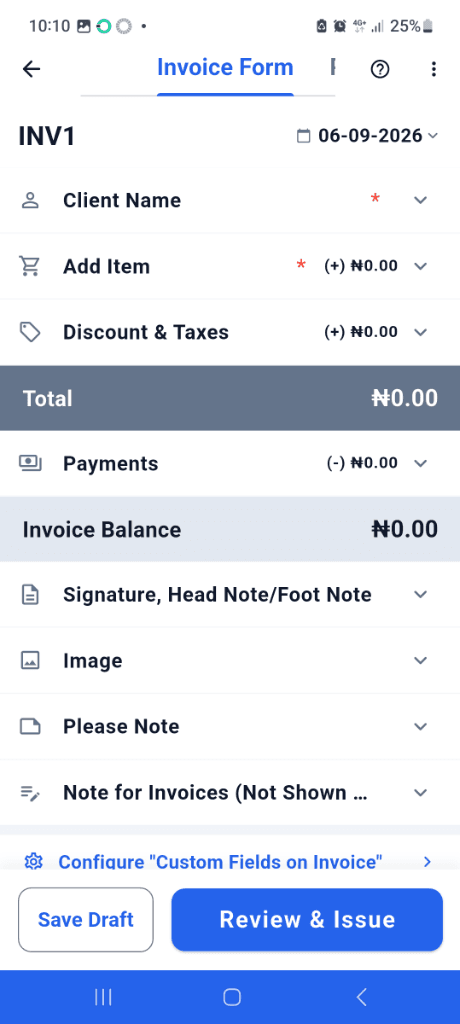
Add Client & Amount
Select an existing client or add a new one in seconds. Type in what you did, and plug in the total. The math is done automatically.
Send & Secure Funds
Tap send. Your client gets a beautiful PDF via email or WhatsApp, complete with a button to pay you immediately via card or transfer.
Tailored for Every Device
Whether you're team Apple or team Android, we have a native experience waiting for you.
How to invoice on iPhone
Download our app from the Apple App Store. The iOS experience leverages native Apple typography, FaceID for secure login, and Apple Pay integration so your clients can pay you with a double-click of their side button.
You can even share your PDF invoices directly through iMessage or Airdrop to clients who are standing right next to you.
How to invoice on Samsung
For Samsung Galaxy users, grab the app from the Google Play Store. We fully support Samsung's large displays and stylus inputs.
Easily attach photos taken with your incredible Samsung camera directly to your invoices to prove job completion before requesting payment.
How to invoice on Android
Running a Pixel, OnePlus, or Motorola? The Android experience is lightning fast. Google Pay integration means your clients can settle their bills in seconds.
Generate PDFs, integrate with your Google Contacts to auto-fill client details, and share via WhatsApp instantly.
What Every Invoice Must Include
Don't leave room for disputes. A professional invoice protects you legally and speeds up your payments. Our app automates all of this.
Your Business Info
Name, address, contact details, and tax ID.
Client's Information
Who is paying the bill? Include their legal business name and contact.
Unique Invoice Number
Sequential numbering (e.g., INV-001) for accounting and tax purposes.
Dates
The date issued and the exact payment due date.
Itemized List of Services
Clear descriptions of what was done, quantities, and rates.
Total Amount & Taxes
The subtotal, applicable taxes, and the final grand total.
Payment Terms
How you want to be paid (Credit Card, Bank Transfer) and late fee policies.
Need international compliance? Learn about our Global Settlements capabilities.
Why Mobile Spreadsheets Are Sabotaging You
Still using Excel or Google Sheets on your mobile phone? Here is why it's costing you hours of lost time and delayed payments.
Using Google Sheets on Mobile
- • Average time to format: 12 minutes
- • Constant pinch-to-zoom to fix column widths
- • No built-in way to accept credit cards
- • You still have to manually export to PDF
- • Zero automated tracking to see if they opened it
Using Nobevra
- • Average time to send: 45 seconds
- • Layout is permanently flawless and professional
- • Built-in payment gateways for instant cash
- • Generates and attaches the PDF automatically
- • Alerts you the second your client opens the invoice
Bank-Grade Security
Trusted by Over 10,000 Professionals
"I used to spend my Sunday evenings organizing bills. I switched to Nobevra, set up automated recurring profiles, and bought my weekends back."

Sarah T.
Design Agency Founder
"Tracking media production expenses used to be a nightmare. The Smart Expense Manager categorizes everything automatically across our team, saving us hours each week."

Beautrice Moreau
Operations Manager, Eagles Media
"Contactless QR payments have sped up checkout times at the mall significantly. Our customers love the modern, seamless payment experience without extra hardware."

Major EC Opumie
Founder, Opuforty Mall
We might not be the right fit for you if...
If you run a massive enterprise requiring complex ERP integrations, hundreds of custom approval workflows, and legacy accounting system syncs, Nobevra isn't for you.
But if you are a freelancer, consultant, or agency owner who just wants a remarkably fast, dead-simple way to bill clients right from your phone and actually get paid on time? We are exactly what you've been looking for. Check out our straightforward pricing.
Frequently Asked Questions
Straight answers to common questions about mobile invoicing.
How to make an invoice on my phone for free?
Simply sign up for a Nobevra account. You can create an invoice online free and send it directly from your mobile browser or our app without hitting a paywall for basic functionality.
Does it work differently on iOS versus Android?
Whether you are searching how to make an invoice on my phone iphone or how to make an invoice on my phone android, the core experience is identical. The interface is optimized perfectly for both operating systems.
Can I generate a PDF to send via WhatsApp?
Absolutely. Once you finish entering the amount, you can download a crisp, professional PDF straight to your camera roll or files, and share it via WhatsApp, iMessage, or email instantly.
Stop waiting to get paid.
Join thousands of professionals who have ditched the spreadsheets and reclaimed their weekends.